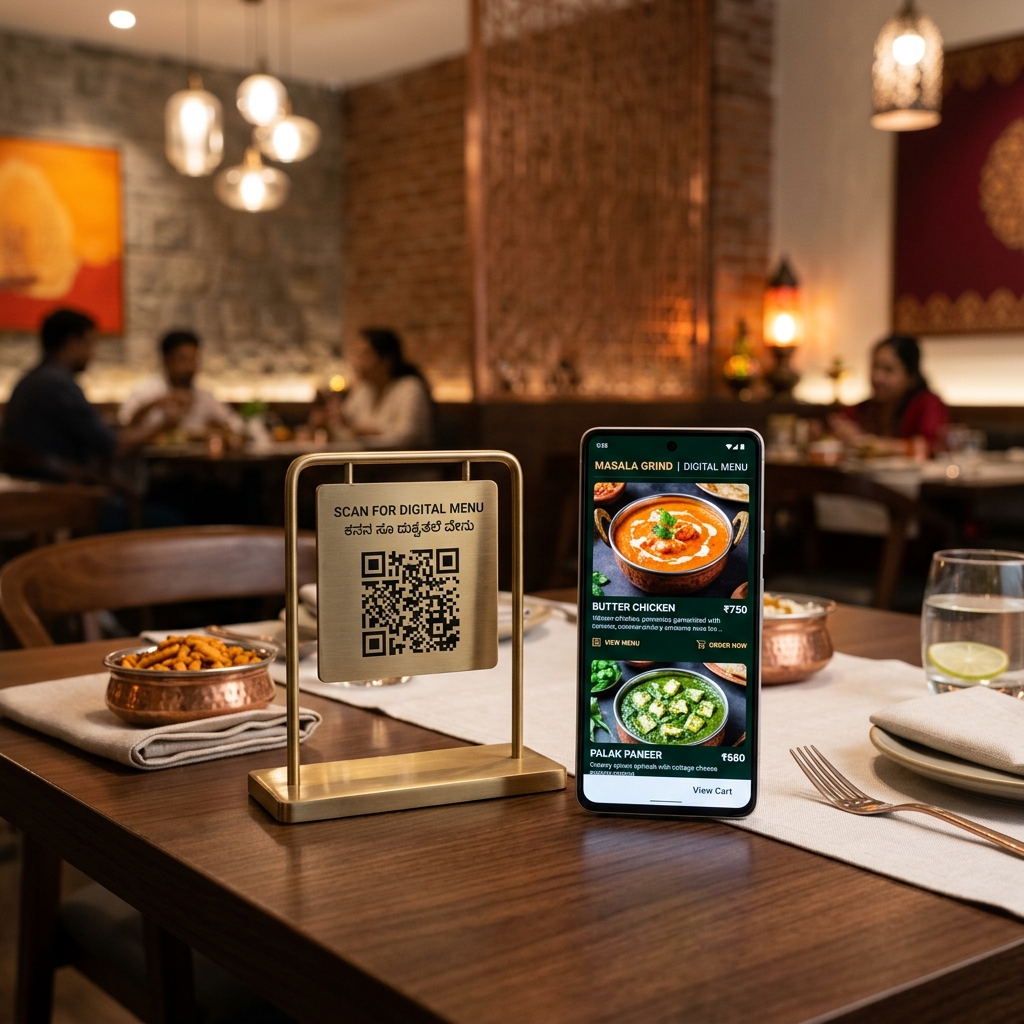
India's premium restaurant segment — from rooftop bars in Mumbai to multi-course tasting menus in Delhi — has historically been the slowest to adopt digital menus. The reasoning is understandable: when your average cover is ₹3,000–8,000, every detail of the experience is curated, and a generic QR sticker on a laminated card feels incongruous with handmade ceramics and sommelier service.
But the conversation has changed. Digital menus, when implemented with the same attention to detail as the rest of your dining experience, enhance the premium feel rather than diminishing it.
How Fine Dining Restaurants Do It Right
The Elegant QR Presentation
Instead of a printed QR sticker, use a small engraved acrylic or brass stand with your restaurant's QR code. When the guest sits, the sommelier or host says: "Your menu is here — simply scan when you're ready." The digital menu opens to your branded page with full-screen dish photography, wine pairing notes, and the chef's story for each course. The medium has become part of the experience.
The Hybrid Approach (Best of Both)
Offer a beautifully printed tasting menu card as a keepsake (1 page, heavyweight stock, minimal), while the full menu — extended descriptions, allergen information, wine list, cocktail details — lives digitally. Guests get the tactile element they value, without the restaurant having to reprint every time a dish changes.
The iPad Wine List
Many fine dining restaurants in India now present wine lists on a dedicated iPad or tablet in a leather case. The digital format allows beautiful photos of the vineyard, vintage notes, and real-time availability — impossible in a static printed list. The physical weight of the device maintains the "substantial" feel of a traditional wine menu.
What Makes a Fine Dining Digital Menu Feel Premium
✓ Do This
- Custom branded menu page with your logo and colour palette
- Professional food photography for every dish
- Chef's notes and story for signature dishes
- Wine and beverage pairing suggestions
- Allergen info with elegant typography
- Elegant QR presentation (acrylic, brass, or leather holder)
- Multilingual support (English + one regional language)
- Staff trained to present the digital menu gracefully
✗ Avoid This
- Generic QR sticker on a paper table tent
- Default/unbranded menu page
- Stock photos instead of your actual dishes
- Long load times (compress your images)
- Cluttered, unstructured menu layout
- No staff acknowledgement of the digital menu
- QR code placed awkwardly (floor, wall, too small)
Setting Up a Premium Digital Menu on DineWaves
DineWaves' custom branding features (available on Pro plan) let fine dining restaurants create a menu that looks and feels like an extension of their brand:
- Custom logo and header: Your restaurant's logo appears prominently at the top of every menu page
- Brand colours: Match your restaurant's colour palette exactly — navy, ivory, gold, forest green
- Full-width dish photography: Images display large and beautifully on any screen size
- Extended dish descriptions: No character limit — write the chef's story, sourcing notes, preparation technique
- Custom domain: Your menu lives at menu.yourrestaurant.com, not a generic URL
- Sommelier notes: Add pairing recommendations to every dish
Fine Dining Restaurants Already Using Digital Menus
Globally, Michelin-starred restaurants including Noma (Copenhagen), The Fat Duck (UK), and Gaggan (Bangkok — beloved by Indian palates) have adopted digital menus. In India, a growing number of premium restaurants in Mumbai, Delhi, Bengaluru, and Hyderabad have made the shift — particularly those catering to international guests who expect it.
The post-pandemic hygiene expectation has actually made aspirational in some segments — guests now associate touchless menus with premium hospitality.
Create a Premium Digital Menu for Your Restaurant
DineWaves Pro includes custom branding, unlimited photos, and a custom domain — everything a fine dining restaurant needs to present a digital menu with elegance.
See Pro Plan →Frequently Asked Questions
Only if it's implemented cheaply. A custom-branded menu on a premium QR holder, presented by trained staff, is perceived as sophisticated — not budget. The medium is neutral; the execution determines perception.
Yes. DineWaves supports structured menus with sections, extended descriptions, and dish stories. Tasting menus work especially well digitally because you can include the chef's narrative for each course — something impossible to fit on a printed card without it looking cluttered.
Yes. DineWaves menus display in any language you set. You can offer a toggle between English and Hindi (or any other language) on the same menu. International guests see the English version by default.
A valid concern. Keep 2–3 physical menus available — perhaps your beautiful printed keepsake version. Offer the physical menu proactively to guests who seem to prefer it. The goal is guest comfort, not forcing a medium.