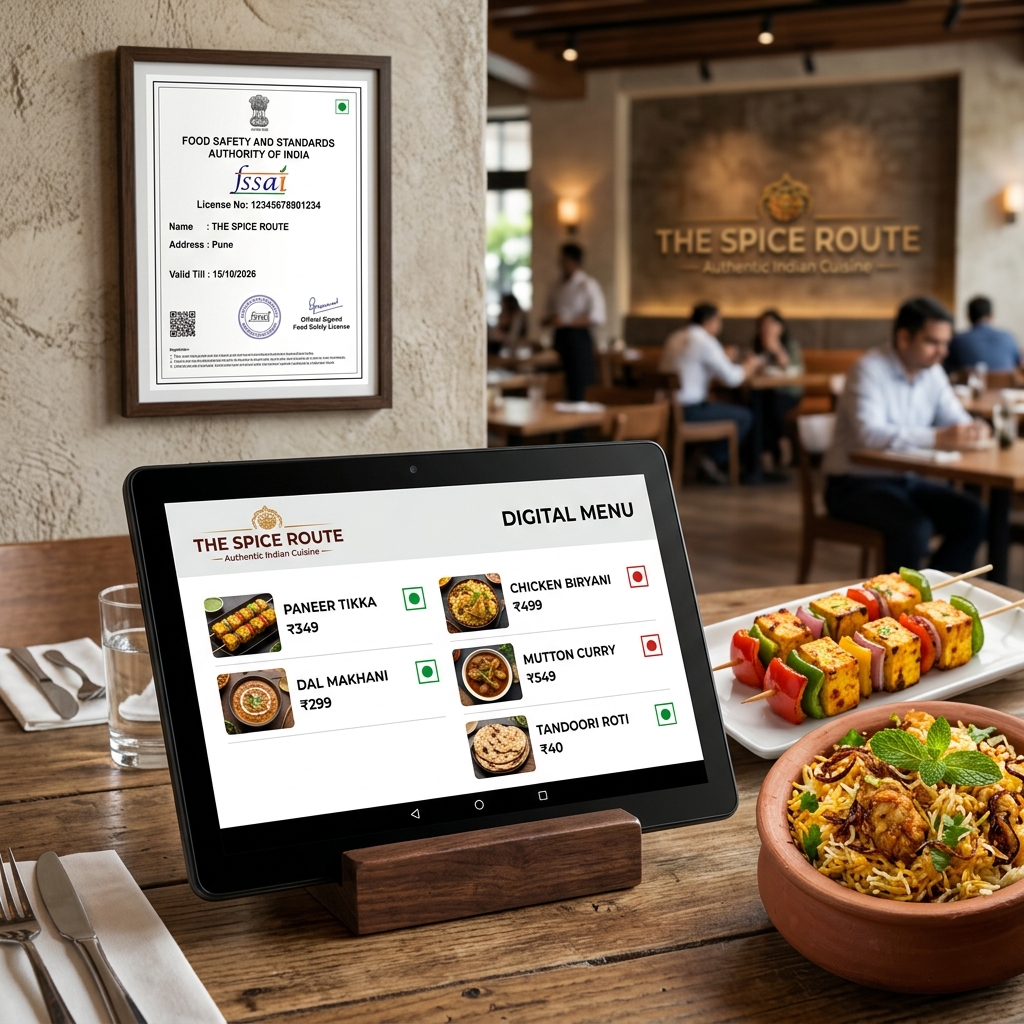
Many Indian restaurant owners assume FSSAI compliance only applies to packaged food labels. In reality, the regulations extend to how food is presented at the point of sale — including digital menus and QR codes. Non-compliance can result in warnings, fines, or temporary closure during inspections.
This guide explains exactly what your digital menu must display, what's recommended, and how DineWaves makes compliance straightforward.
What FSSAI Requires on Your Digital Menu
✓ FSSAI Compliance Checklist for Digital Menus
Understanding the Veg/Non-Veg Symbol Requirement
India is unique globally in its mandatory food marking system. The green circle inside a green square denotes vegetarian food. The brown circle inside a brown square (sometimes depicted as dark red) denotes non-vegetarian. These symbols must appear on all food items — not just labelled products, but also on menus and digital displays.
What Happens During an FSSAI Inspection
Food Safety Officers (FSOs) can visit your restaurant without prior notice. During inspection, they check:
- FSSAI license displayed at the premises (physical certificate)
- FSSAI number on your menu (physical or digital)
- Veg/non-veg indicators on all food items listed
- No expired license (renewal needed every 1–5 years)
- Cleanliness and hygiene (separate inspection)
⚠ Penalty for Non-Compliance
Under the Food Safety and Standards Act 2006, failure to display FSSAI details correctly can result in fines up to ₹2 lakh and/or imprisonment for repeat offences. Most first-time violations result in an improvement notice with a 14-day compliance window.
FSSAI and Digital Menus: Specific Guidance
FSSAI's 2020 Display Regulations were written before QR digital menus became mainstream. However, the principle is clear: any medium by which you present food information to customers — physical, digital, or electronic — must comply with display requirements. This is confirmed by FSSAI's own Food Safety Connect guidelines.
Where to Place Your FSSAI Number on a Digital Menu
- Footer of every menu page — most visible and expected location
- Restaurant info / "About" section — dedicated section with full details
- Header banner — visible immediately on load
DineWaves displays your FSSAI number in the menu footer automatically once you enter it in your restaurant profile.
Checklist: Is Your Digital Menu FSSAI Ready?
Before going live, verify these 5 points:
- FSSAI 14-digit number is visible on the menu (footer or header)
- Every dish has a veg (green) or non-veg (brown) indicator
- Restaurant name matches your FSSAI registration
- No unsubstantiated health claims ("weight loss," "detox," etc.)
- Allergens disclosed for high-risk items (nuts, shellfish, gluten)
Go FSSAI-Compliant in 10 Minutes
DineWaves has dedicated fields for your FSSAI number, veg/non-veg toggles, and allergen notes. Built for Indian regulations from day one.
Create Compliant Menu Free →Frequently Asked Questions
Yes. FSSAI regulations apply to the display of food information, not the medium. A QR digital menu is valid as long as it displays all required information including your FSSAI license number.
Yes. The physical FSSAI license certificate must still be displayed at your premises (typically framed at the entrance or counter). The digital menu requirement for your FSSAI number is separate and additional to this.
आपका FSSAI नंबर आपके लाइसेंस सर्टिफिकेट पर 14 अंकों में लिखा होता है। इसे FoSCoS पोर्टल (foscos.fssai.gov.in) पर भी देखा जा सकता है।
For restaurants with fewer than 10 outlets, calorie labelling is currently advisory under FSSAI draft regulations (as of 2026). For chains with 10+ locations, displaying calorie information is becoming a compliance requirement. Check FSSAI's latest circulars for updates.